Grasshopper Plugin
MaskRCNN in Grasshopper
Deep-Learning-Based Object Segmentation in Rhino/Grasshopper
MaskRCNN in Grasshopper is a plugin that integrates the Mask R-CNN deep learning framework directly into the Rhino/Grasshopper environment. The entire machine-learning workflow — from dataset preparation and model training to detection and publication-quality model comparison — is managed through visual programming components written in C#.
By removing the need for command-line interaction with Python and TensorFlow, the plugin makes deep learning accessible to architects and researchers working in a parametric design environment.
Environment Setup
- Python & TensorFlow
- GPU configuration
Dataset Preparation
- Splitting & merging
- Cleaning & repair
Model Training
- Mask R-CNN
- COCO transfer learning
Detection & Inference
- Object segmentation
- Confidence scores
Analysis & Comparison
- CSV / MD / LaTeX
- Performance reports

Overview of the Grasshopper canvas — 95 components organized into 8 functional modules.
Component Modules
The plugin consists of eight functional modules. Each module takes on a specific task, and data flows from left to right: from environment setup to dataset management, from training to detection and analysis.
Workflow
DATASET PREPARATION
The process begins with preparing a labeled image dataset. Polygon annotations in VIA (VGG Image Annotator) JSON format are split into training and validation sets with the Dataset Splitter. When new data arrives, the Dataset Merger integrates it while preserving the existing distribution. Before training starts, the Dataset Cleaner runs six diagnostic checks and automatically repairs faulty annotations.
TRAINING AND DETECTION
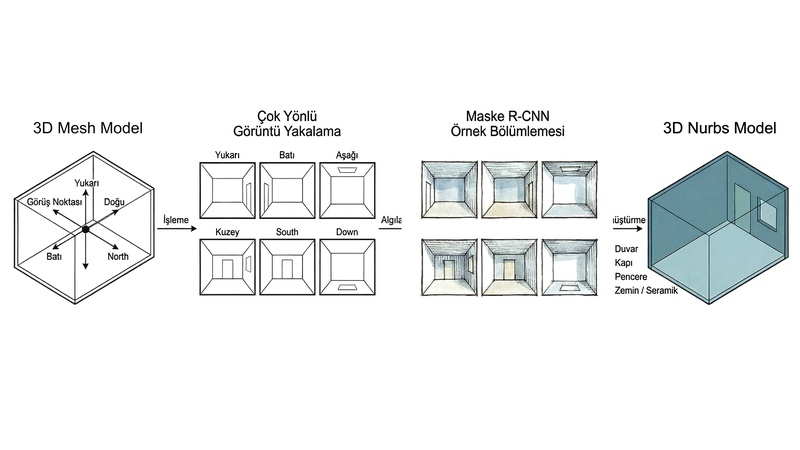
The training module uses the Mask R-CNN architecture, extracting multi-scale features through a ResNet-101 backbone and a Feature Pyramid Network (FPN). Transfer learning is applied from MS COCO pre-trained weights. The trained model then runs inference on new images through the Detection module, identifying architectural elements such as walls, windows and doors along with class labels and confidence scores.
ANALYSIS AND COMPARISON
The Model Analyzer computes post-training loss curves, mAP values and per-class performance metrics. The Model Comparator ranks multiple models by metrics such as validation loss, parameter count, efficiency and overall score. Results are exported directly from Grasshopper in CSV, Markdown and LaTeX (booktabs) formats.
Thanks to 95 Grasshopper components written in C#, the entire deep learning process — from dataset preparation to publication-quality model comparison — is managed in a single environment.
APPLICATIONS
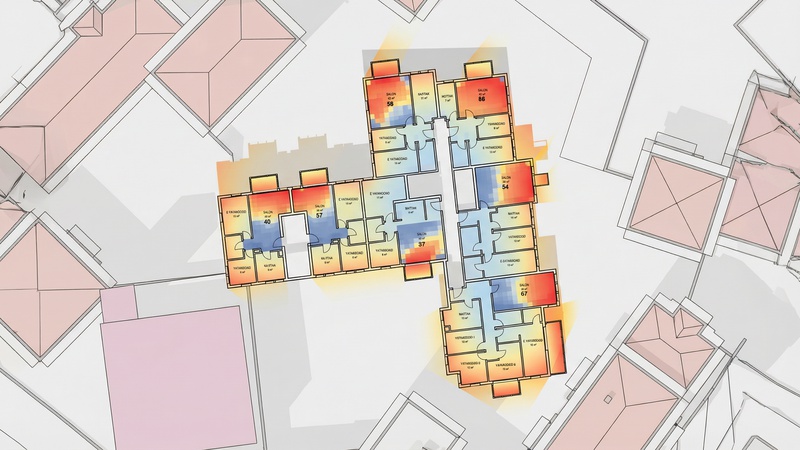
The plugin can be used to detect building components (walls, windows, doors, façade elements) in architectural photographs and renders. Trained models can feed into broader workflows that combine detected building geometry with environmental simulation. It applies to any object segmentation task, such as structural element recognition, construction progress tracking, damage detection or urban morphology analysis.